Have you ever wanted to put a high-resolution photo on the web so that users could see the little details?
Browsers now resize images to fit in the browser window. This eliminates the scrolling we used to do, but trying to zoom in and navigate around to see what you want can be a challenge. Also, very large images may take some time to display.
Photoshop CS3 to the rescue!
Photoshop comes with a new feature called Zoomify allowing you to use high-quality photos with the ability to zoom and pan interactively in a flash based environment. This technology is also useful if you don’t want people to download a high quality version of your photograph.
How does Zoomify work?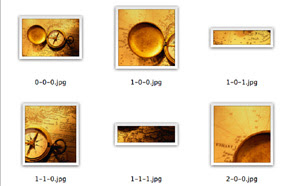
Zoomify slices up your image into small sections or tiles and places them in a folder named TileGroup. What’s neat about this is that you won’t have to wait for the entire image to download. These tiles download separately.
Zoomify also creates a HTML file that contains all the code needed, XML file, Flash file, and a folder containing your tiled images.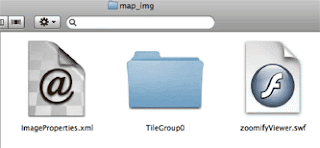 You need to keep these files together as they were placed in the folder that was created. The folder created for me used the file name of my image to create a folder named map_img. My map.html file is located just outside this folder
You need to keep these files together as they were placed in the folder that was created. The folder created for me used the file name of my image to create a folder named map_img. My map.html file is located just outside this folderClick here to see my example I created.When I exported my image I selected to use the optional navigation box, which displays in the upper left corner.
To zoom you just click on the image or use the navigation tools provided at the bottom of the image. Your picture could display a moment at a low resolution then redraw at the final high quality resolution showing all of the details of the image.
What a great way to share high resolution photographs on the web!
For instructions on using Zoomify, click here.
To zoom you just click on the image or use the navigation tools provided at the bottom of the image. Your picture could display a moment at a low resolution then redraw at the final high quality resolution showing all of the details of the image.
What a great way to share high resolution photographs on the web!
For instructions on using Zoomify, click here.
